Conversational Product Docs
Finding answers in documentation takes too long
Users search through documentation pages trying to find one specific answer. They click through sections, use ctrl+F on multiple pages, and still can't find what they need. Support teams answer the same questions repeatedly because people give up on docs. Documentation exists but nobody can extract information from it efficiently. The gap between having comprehensive docs and users actually finding answers stays frustratingly wide.
About this tool
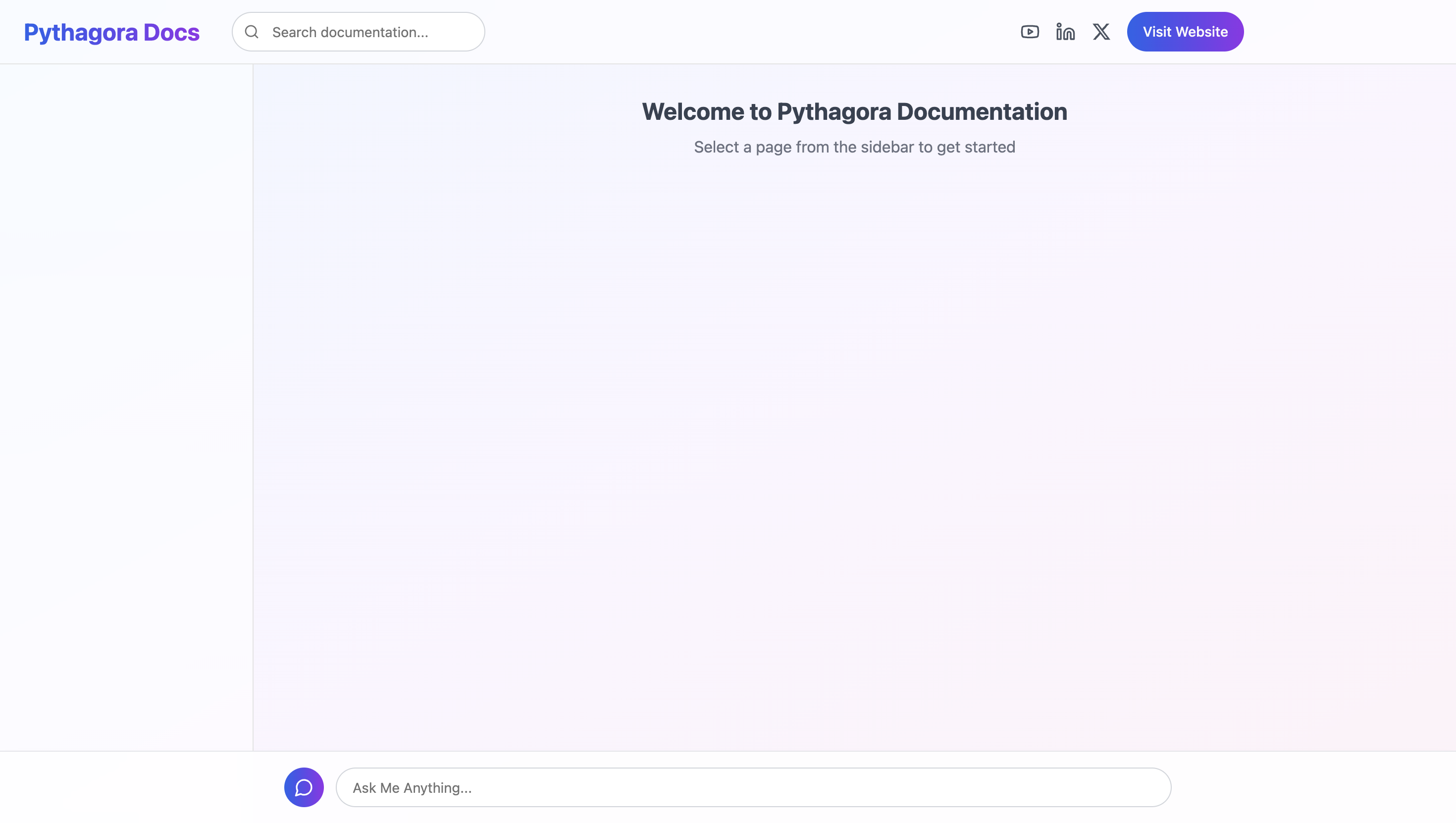
This platform turns static documentation into a conversational interface. Users type questions and get relevant answers pulled directly from your docs. The system uses Claude Haiku to understand questions and extract answers regardless of how the documentation is structured. Prompt caching reduces response time and API costs between queries. Access restrictions control usage through IP filtering, message limits, and message count caps.
Built with Anthropic Haiku integration, conversational interface for documentation queries, and access restrictions by IP, message length, and count — ensuring fast responses with prompt caching, role-based access control, and MongoDB storage.
Users get answers to specific questions without navigating through multiple doc pages. The chat interface understands different ways of asking the same question and pulls relevant information regardless of how the docs are structured.
Prompts used to build this app
I want to build an app that shows the documentation of my product with the feature of chat that connects to the LLM, gives the context of the entire documentation, and enables the user to chat with that documentation, ask questions, and so on. The site should have a header. In the header, we should have YouTube, LinkedIn, X links to the social media profiles, there should be a search bar, and there should be a link to the website. There should be a sidebar where there are all sections of the documentation. There should be sections that are collapsible and each section has any number of pages in it. I should be able to expand the sections, collapse them, and whenever a page changes, I want to maintain the sidebar. So for example, if I expanded one section and I clicked on one of the pages, when the page loads, I still want to have that only one section opened in the sidebar. Then there should be main content in the middle, and there should be a chat feature, a small chat box in the bottom right. If a user clicks on it, it should open a pop-up where a user can chat with the LLM. The user should have an input field and there should be speech bubbles by the LLM (let's call it Pythagora assistant) and by the user so they can chat in that pop-up window. Add the button to clear the context of the conversation in that pop-up window and the loader while the LLM is generating the response. When you make this LLM request, I want to use Claude Haiku 3.5 by Anthropic, and I want to use prompt caching and make sure that the entire docs are sent in a system message, and that system message needs to be cached on the Anthropic API so that we don't spend a lot of money while making requests. User messages and LLM responses should be all the messages. Then I want to, on the backend and the frontend, limit the size of each message that the user can send. Make sure that the user cannot send more than 200 characters and ensure that this is validated on the backend as well. Then add a counter with a maximum number of messages before clearing the context. Make sure that we can do maximum five messages, and if the five messages are hit, then the user should see a button "clear the context." Actually, when a user enters the sixth message instead of the send button, there should be "clear context and send" button. Make sure to also verify the maximum number of messages on the backend as well. Finally, enable on the backend the limit of sending 20 messages by the same IP address within one hour, and that needs to be enforced so this cannot get more than 20 messages in one hour by one IP address. If that limit is hit, during the next 24 hours I want to see a CAPTCHA whenever a user wants to send a message. Finally, we want to have an admin panel. In the admin panel we want to manage sections, so all the sections and all the pages within sections. I want to be able to create, delete, and manage pages, and for each page I want to be able to edit the content that can be a rich text editor. On the backend I want to save it as a markdown file. Finally, there should be an admin login, and the admin should be able to add users along with their passwords, and that way they should be able to add the admin users who can manage all these things. Make sure that the page, the markdown, when it is rendered, that it renders code in a nice, colorful way.
Please change the chat button in the bottom right of documentation and make it so it's basically a static footer on the bottom of the website that has a big input field with one line in height that says "Ask Me Anything." When the user clicks on that, it pops up basically a pop-up over most of the page and then user can chat in this bigger interface.
Please change the style of the app to look like this website: https://pythagora.ai
The color palette should be this: #FFD11A, #3057E1, #07998A, #FC8DDD
Don’t Miss Out


