Homepage
Examples
PTO Request & Approval System

PTO Request & Approval System

This tool centralizes time-off requests with approval workflows and a shared team calendar.
THE CHALLENGE

PTO management software costs thousands while most teams need basic functionality

HR platforms charge $3,600+ annually for PTO tracking buried inside bloated feature sets most teams never use. Small companies and departments can't justify the cost but still need request workflows, manager approvals, and team visibility. Email and Slack tracking creates chaos.

About this tool
Tool Description

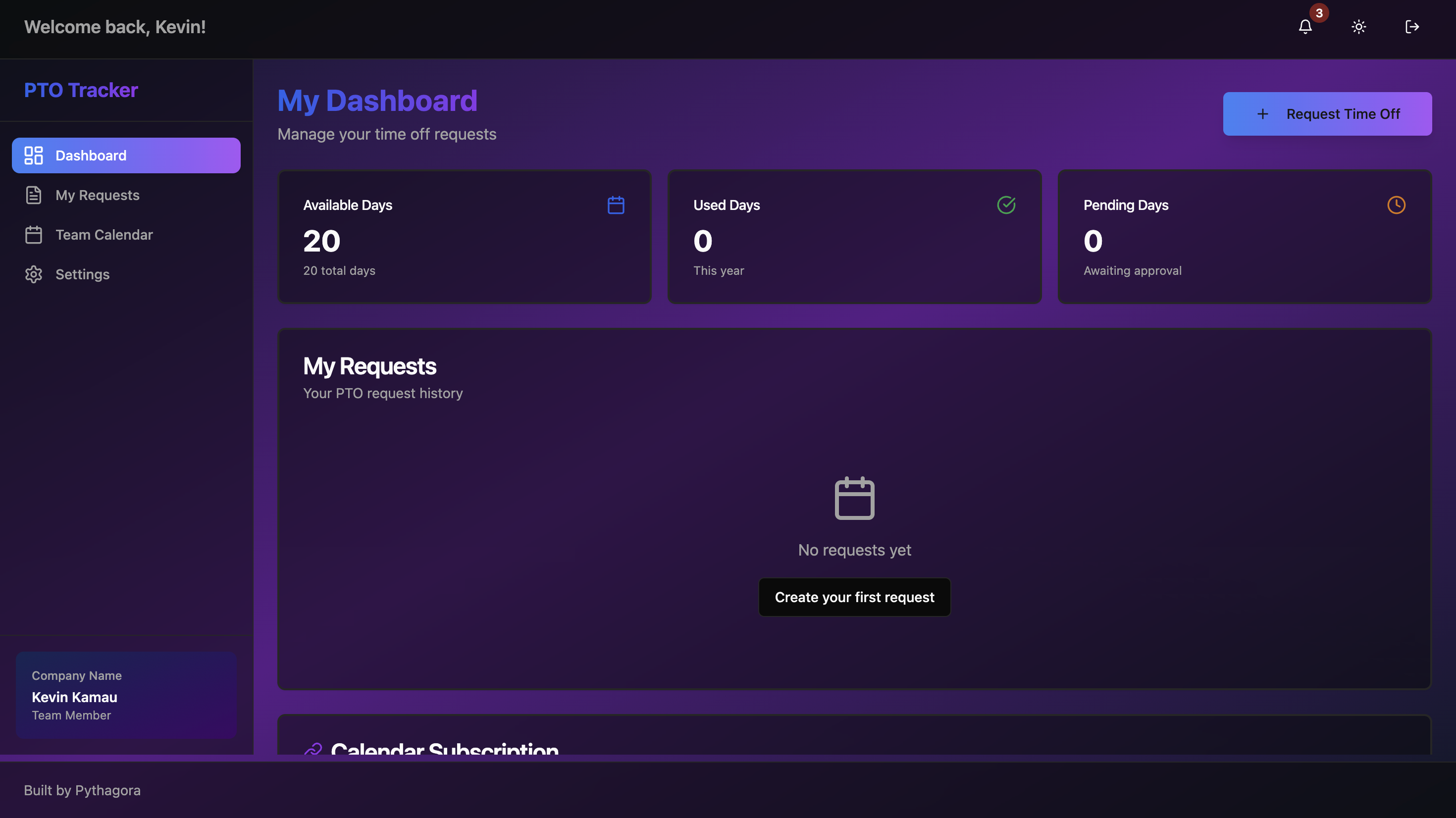
This platform handles core PTO management without the enterprise price tag. Employees submit time-off requests. Managers approve or decline from their dashboard. The team calendar shows who's off when. Everyone sees their PTO balance and request history. Calendar subscriptions let people add team time-off to their personal calendars.

Key Features

Time-off request submission, manager approval workflow, PTO balance tracking, team calendar view, request history and status, calendar subscription URLs, email notifications via Postmark, and role-based access.

Result

Teams get PTO management without paying thousands for unused HR features. Requests stop getting lost in email. Managers handle approvals from one screen. Team members see who's off before scheduling meetings.

Prompts used to build this app

1173 lines of code

💬 12 prompts used

1173 lines of code

🪙 4M tokens

Prompt 
PTO Tracker 1

Create a PTO tracker like https://vacationtracker.io/ where I can approve or decline PTO requests and invite my team to it.

Prompt 
PTO Tracker 2

For email sending use Postmark. I don't need any avatars. I want to be able to add the PTO calendar into my regular calendar app and I want to be able to create who is a manager of an employee.

Prompt 
PTO Tracker 3

Please implement PendingRequests page, TeamCalendar, TeamMembers and MyRequests.

Prompt 
PTO Tracker 4

Implement the entire backend.

Prompt 
PTO Tracker5

I cannot sign up. Here are a few issues:

  • I didn't get the email invitation once I invite my team member.
  • Saving settings on the /settings page doesn't work.

Prompt 
PTO Tracker 6

Please implement Postmark email sending and fix the settings saving error.

Prompt 
PTO Tracker 7

I cannot invite a team member - it says "Invalid role." I still cannot add users - I'm getting the error "Invalid role." Please clear all users from the database and let's start with 1 admin. I'll add the rest of the team.

Prompt 
PTO Tracker 8

Please make the from email to be hi@pythagora.ai.

Prompt 
PTO Tracker 9

Ok, this is great but now Settings savings isn't working - please fix. Also, when I open the team calendar and change the month, I can see the approved time off but it disappears after a second. Please fix.

Prompt 
PTO Tracker 10

The PTO on the Team Calendar page shows normal for the current month but when I go onto the next month, the rest of the PTO just flashes for a second and disappears. Please fix. Also, in the settings, saving notification preferences isn't working.

Prompt 
PTO Tracker 11

The calendar issue is still the same. I should see 6 more events in the beginning of November. I can see them for a split second and then they disappear.

Prompt 
PTO Tracker 12

When I open the GET CALENDAR SUBSCRIPTION, I see localhost:3000 url which is not correct - please let me add it as a secret so I can deploy this as well. Also, downloading ICS has the same issue.

💬 prompts used

🪙 tokens

Share this post